Orchestrate campaigns. Deliver the push.
PushFire is a push notification and email platform for app teams: build campaign workflows on a visual canvas, segment your audience, and deliver push to iOS, Android, and web via FCM, with a REST API, Node.js client, Flutter SDK, and FlutterFlow package.
Free · No credit card required


Push and email from one workspace
Ship one-shot broadcasts or drop the same channels into a journey — same audience, same project, same delivery stack.
Instant broadcasts
High-visibility notifications for announcements, drops, and time-sensitive campaigns across iOS, Android, and Web.
Summer Sale is live
Early access ends tonight. Open the app for your code.
Targeted blasts
Activation and retention emails through your connectors — Resend, SendGrid, and verified sender domains.
From
Coach <hello@pushfire.com>
Subject
Your weekly training plan is ready
Production infrastructure, not a feature checklist
Audience state, delivery, and team controls in one place — so you ship campaigns without stitching together five vendors.
Audience
Dynamic cohorts that stay current with your product data.
- Event-based segments from tags, attributes, and connectors
- Smart sync with Resend, SendGrid, and your own APIs
Delivery
One stack for push and trusted email — no tool sprawl.
- iOS, Android, and Web push via FCM from a single project
- SPF, DKIM, DMARC, and reusable email layouts
Control
Visibility and guardrails for teams shipping to production.
- Live run status, retries, and delivery rates per step
- Trigger APIs, scoped tokens, roles, and RLS-backed security
See the full platform
Explore the PushFire console — from audience insights to broadcasts, workflows, and delivery connectors.

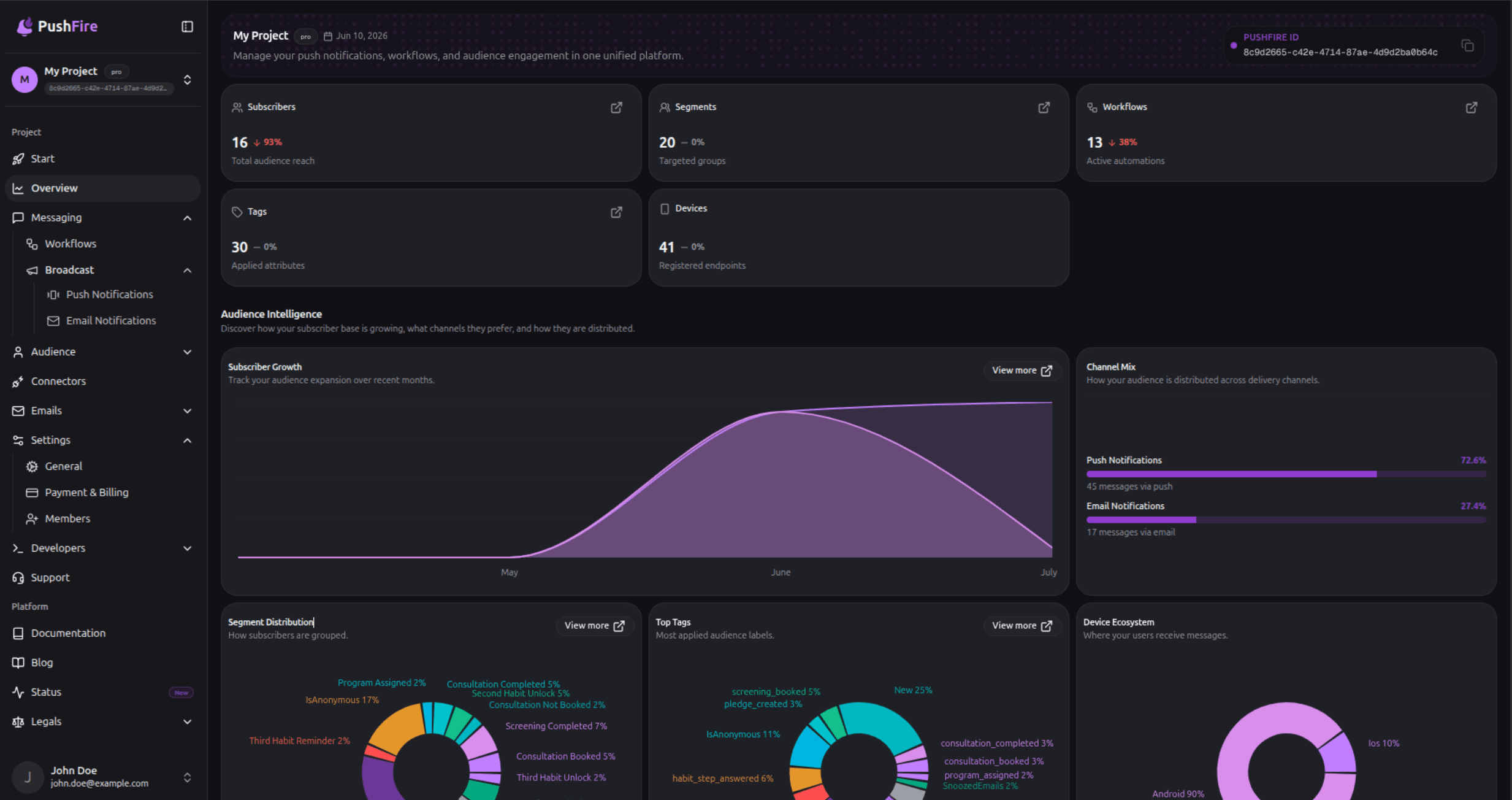
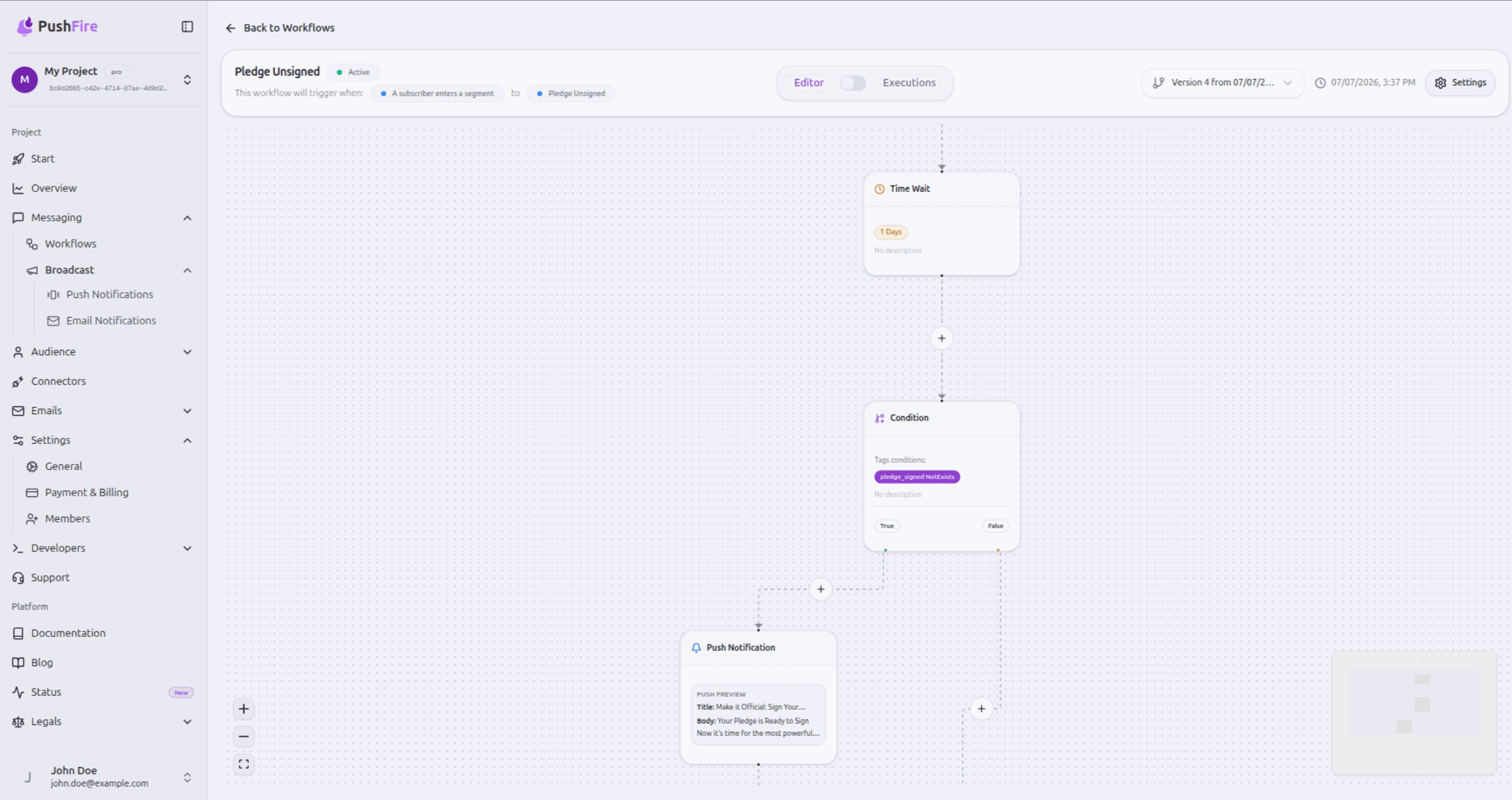

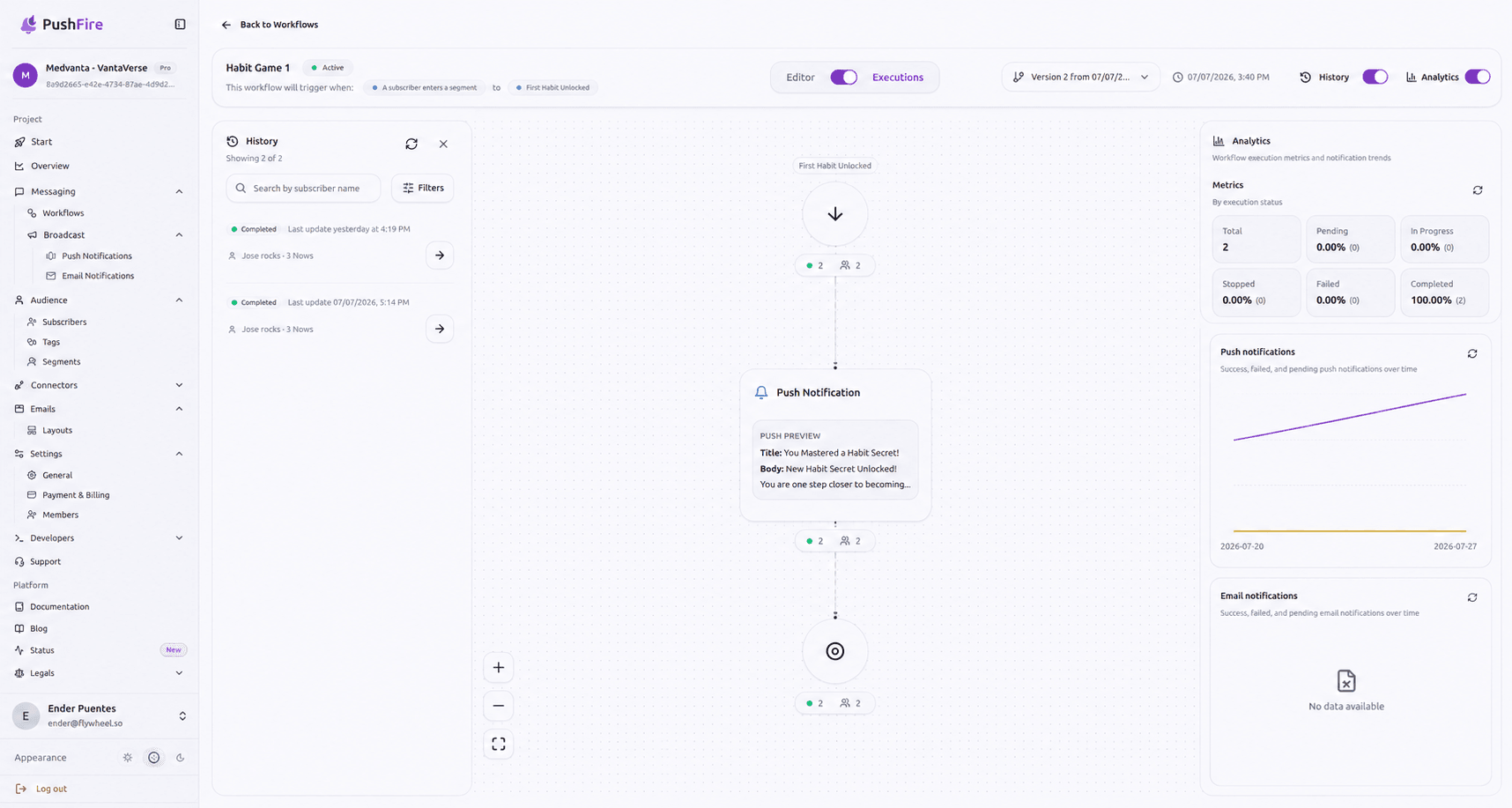
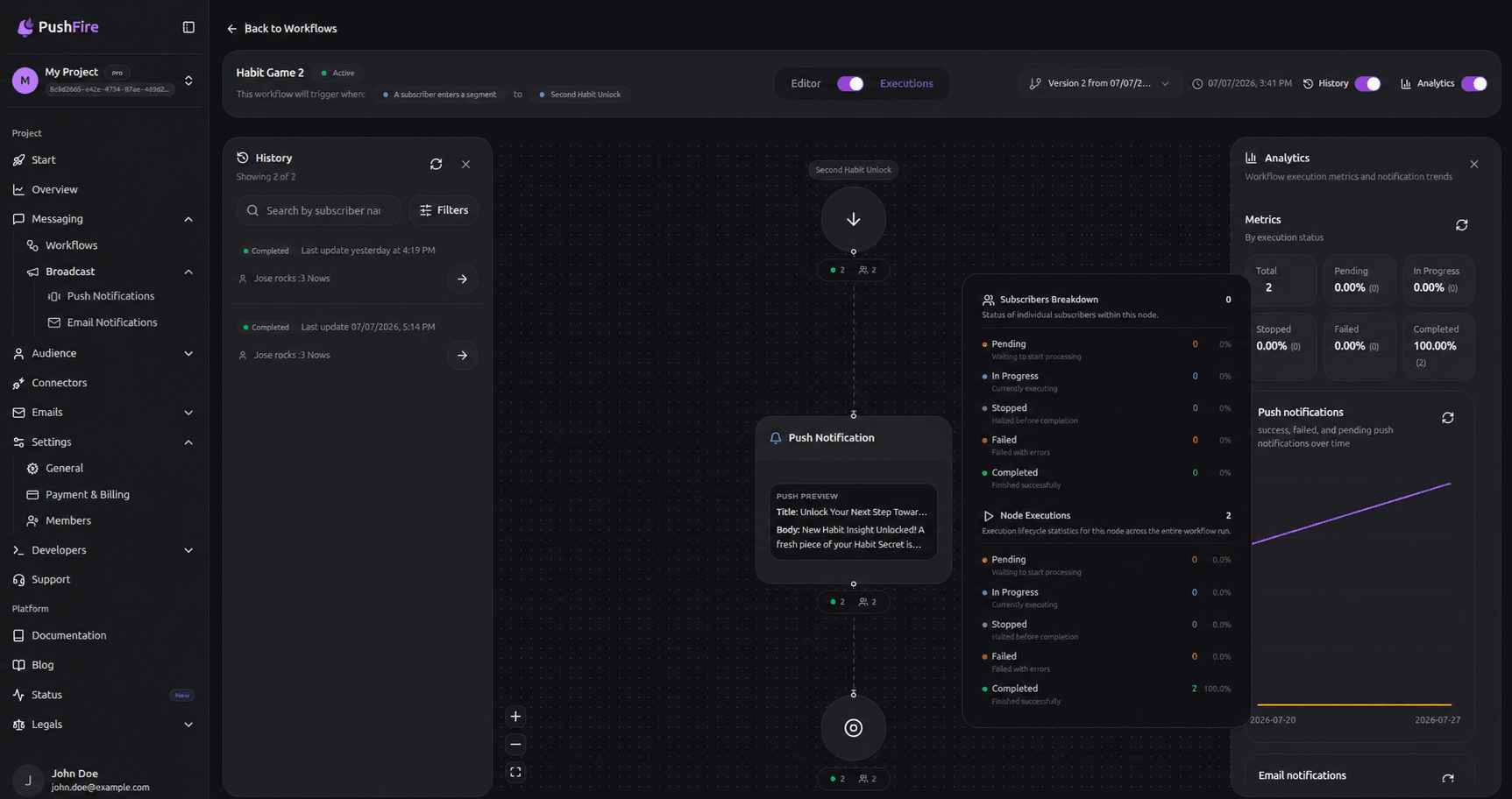

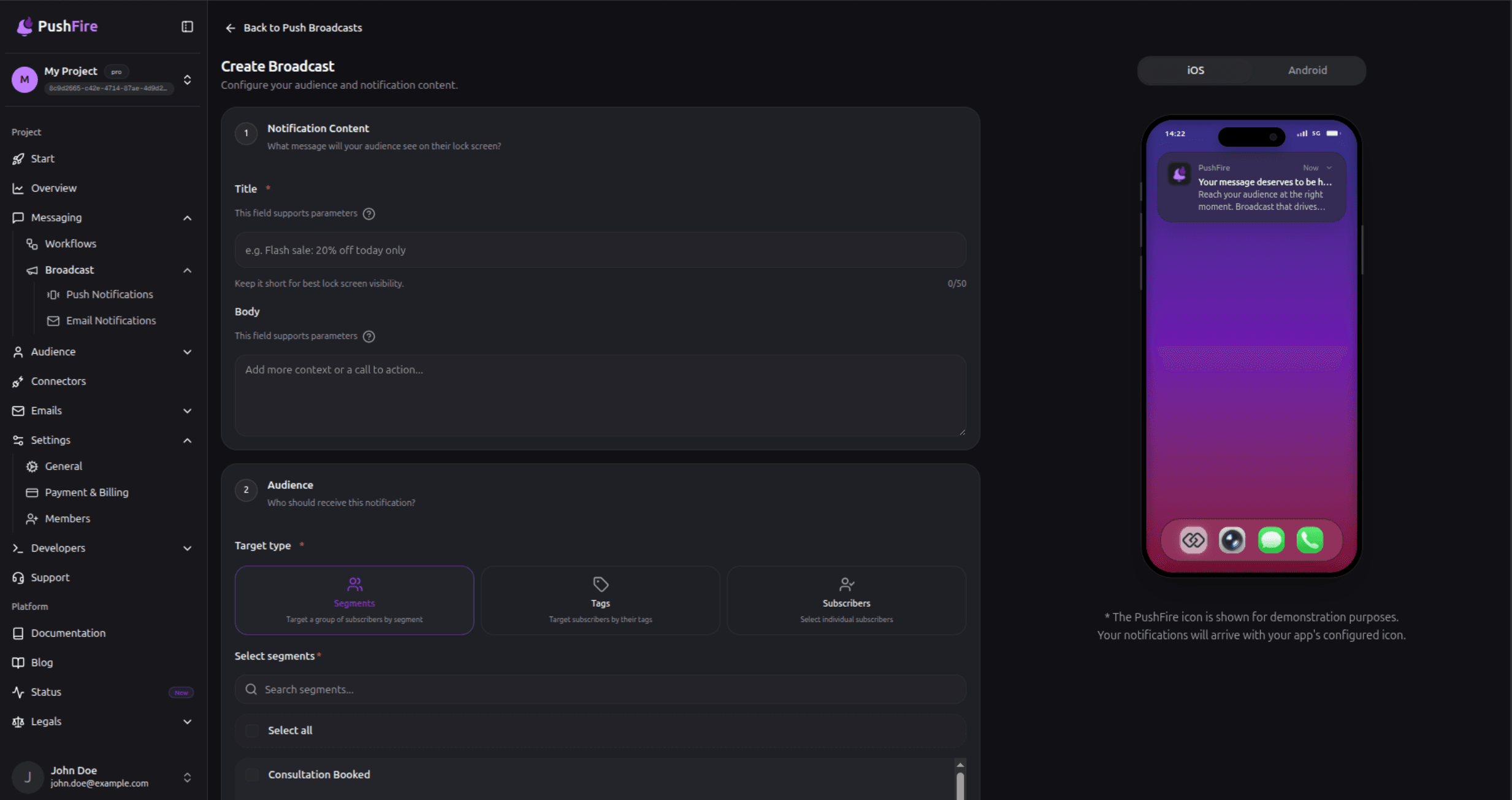
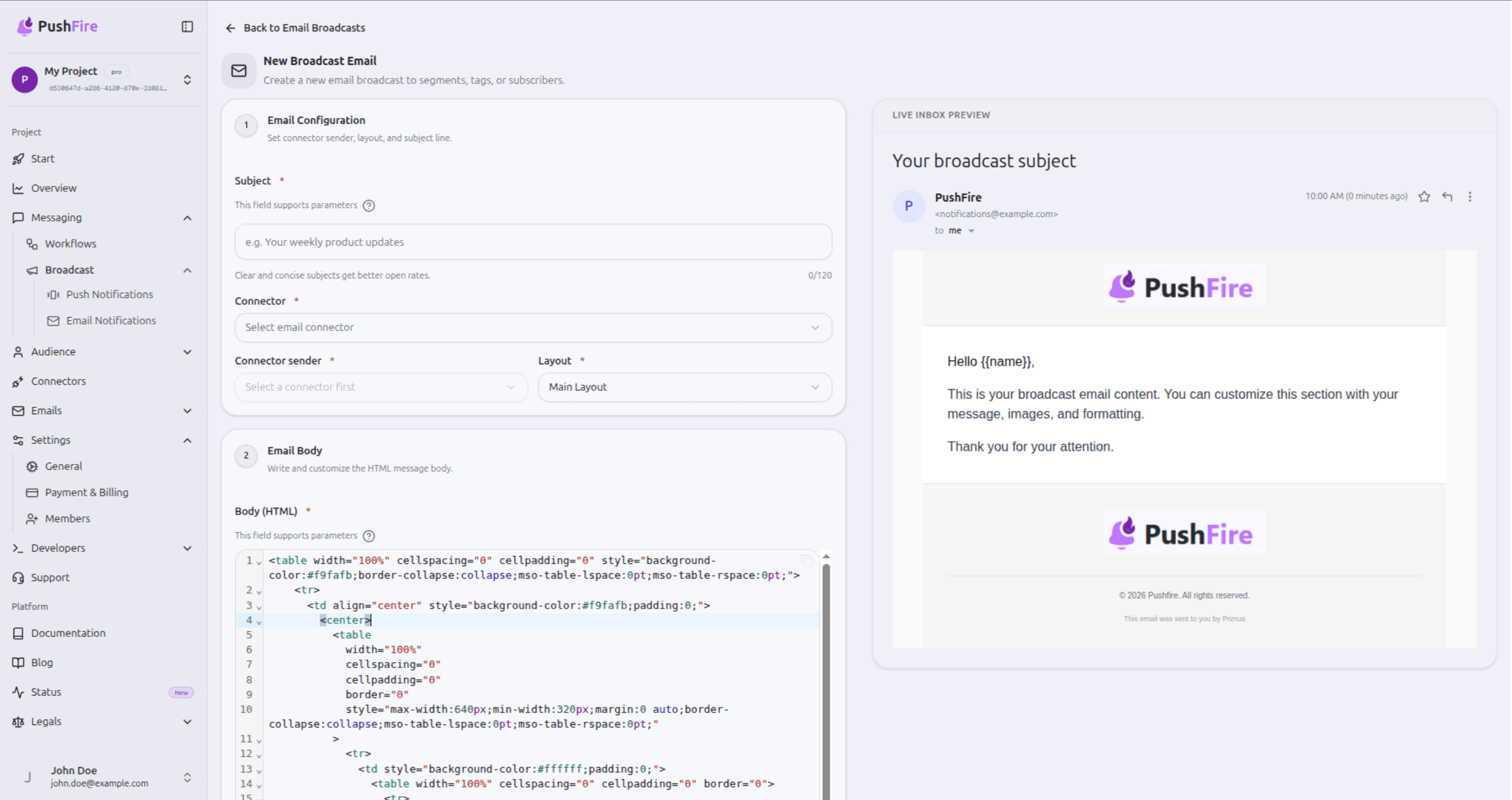

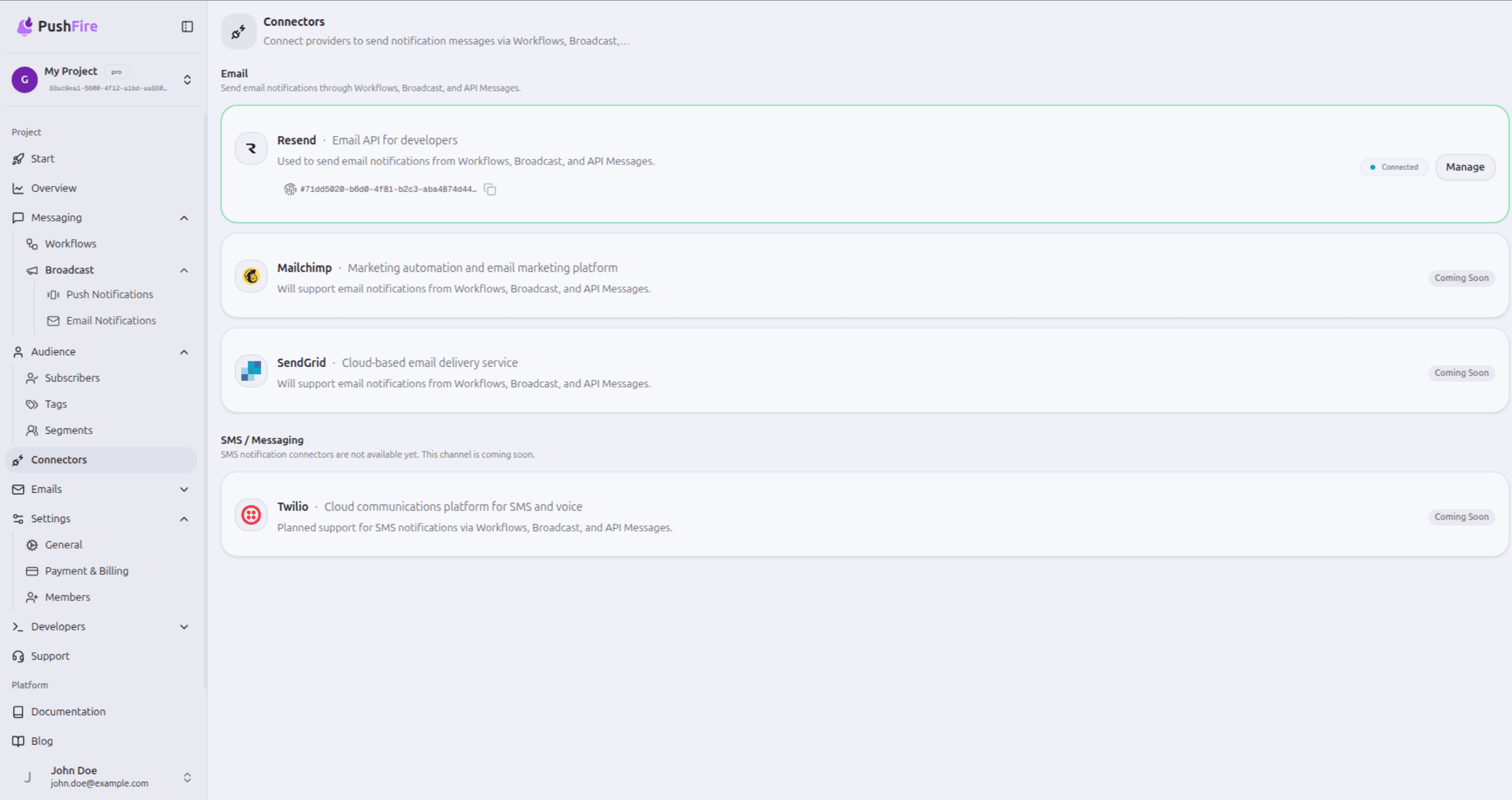
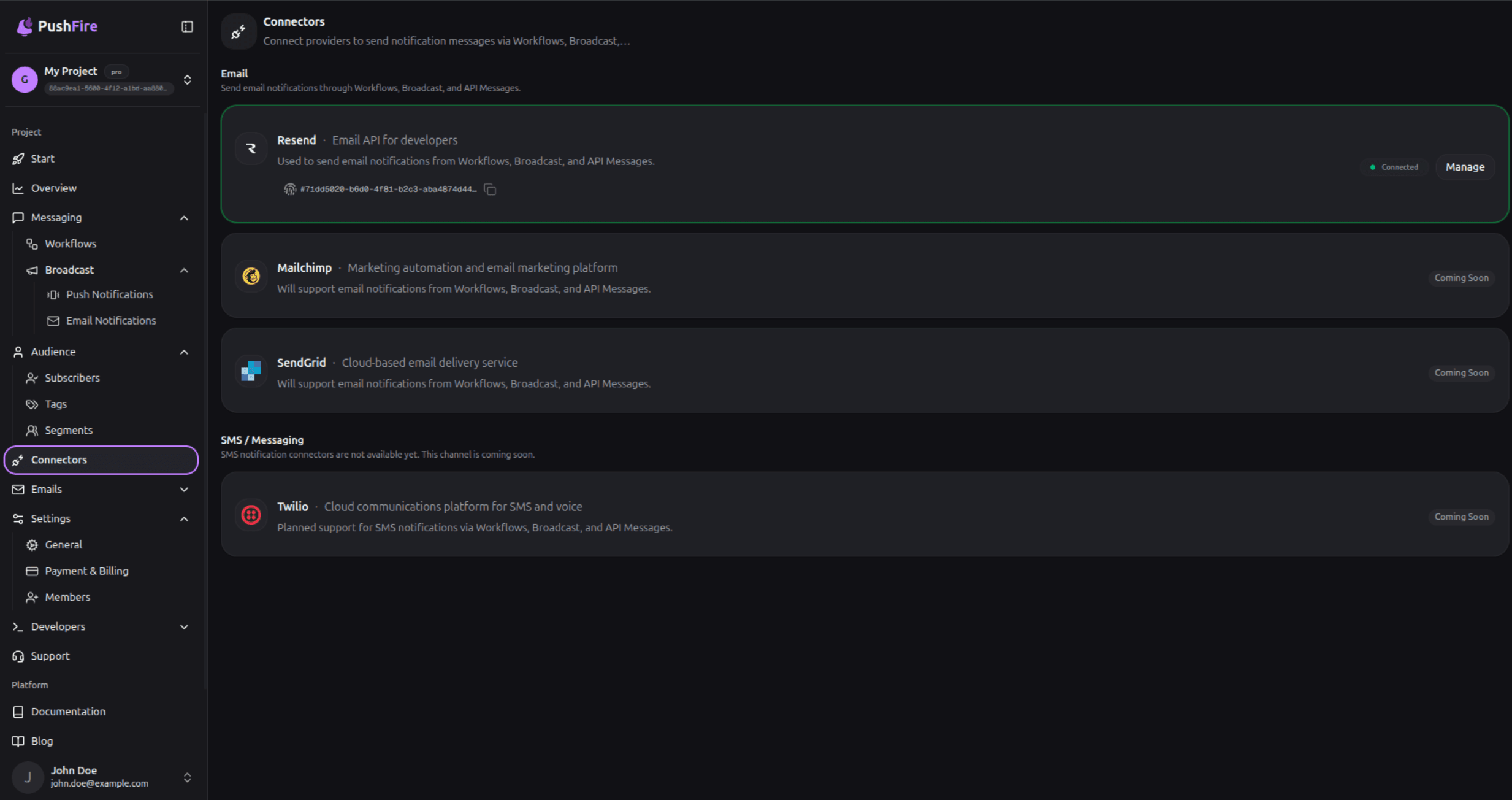
Open any project in the console and see subscribers, segments, devices, and channel mix — the starting point for every campaign.
Integrate your way — SDK or AI agent
Drop in the Flutter package, or let your coding agent install the PushFire skill and wire the project for you.
Flutter SDK
One package for iOS, Android, and Web — same registration, same analytics.
await PushFireSDK.initialize(
  PushFireConfig(
    apiKey: 'your-api-key',
    authProvider: AuthProvider.firebase,
  ),
);AI coding agent
Installs the PushFire onboarding skill into Claude Code, Cursor, Copilot, Windsurf, and 50+ other tools.
Install via your AI coding agent
Simple, transparent pricing
One plan per project. Start free, upgrade when your audience grows.
Prices in USD as of
- Up to 5,000 Subscribers
- Unlimited Tags & Segments
- Unlimited Workflows
- 7-Day Workflow Execution Analytics
- 1 project member
- Push notifications only
- Up to 50,000 Subscribers
- Unlimited Tags & Segments
- Unlimited Workflows and steps
- 30-Day Workflow Execution Analytics
- Up to 10 project members
- Access to Email & SMS Connectors
- API Messages
- Broadcast Messages
- Unlimited Subscribers
- Unlimited Tags & Segments
- Unlimited Workflows and steps
- Unlimited Workflow Execution Analytics
- Unlimited project members
- Role-based access control
- Access to Email & SMS Connectors
- API Messages
- Broadcast Messages
Frequently asked questions
Product, pricing, integration, and security—short answers first.
PushFire is a push notification and email platform with a visual workflow builder, designed for developers and product teams who need to create sophisticated messaging campaigns without writing complex backend code. The platform features a drag-and-drop interface powered by React Flow, allowing users to visually design notification workflows by connecting nodes on an interactive canvas. PushFire uses Firebase Cloud Messaging as its core delivery infrastructure, ensuring reliable message delivery across iOS, Android, and web browsers. Beyond push notifications, PushFire supports multi-channel messaging including email, giving teams a unified platform for all subscriber communication. The platform includes built-in audience segmentation and tagging, so teams can target specific user groups with personalized messages. Real-time execution monitoring lets you watch workflows run live, tracking each message as it moves through your pipeline. PushFire was built by Flywheel Studio to make notification infrastructure accessible to teams of any size.
The visual workflow builder in PushFire is built on React Flow, providing a canvas-based interface where you design notification workflows by dragging and dropping nodes. Each node represents a specific action in your messaging pipeline: push and email notification nodes define message content and delivery channel, wait nodes add timed pauses between steps, and condition nodes enable if/then branching based on tags, segments, and subscriber attributes. Connecting nodes with edges creates the flow path that messages follow during execution. Once your workflow is complete, a single click deploys it to production where it begins processing subscribers immediately. The builder includes real-time execution tracking, so you can monitor each subscriber as they progress through workflow steps and identify bottlenecks or delivery issues in your campaign.
Yes, PushFire supports multi-channel messaging that includes both push notifications and email within a single unified platform. The visual workflow builder handles both channels seamlessly, allowing you to add push notification nodes and email notification nodes to the same workflow. Condition nodes let you choose the delivery channel on a per-user basis, so you can send push notifications to users who have enabled them and fall back to email for those who have not. Email layouts are configured in the PushFire dashboard using reusable HTML templates with header and footer wrappers, with support for dynamic content personalization using subscriber attributes and tags. Outbound email is delivered through connectors such as Resend. Delivery tracking works across both channels, giving you visibility into send rates, bounces, and failures for every message. Engagement analytics provide open rates, click-through rates, and conversion data for both push and email, displayed in unified reports that let you compare channel performance side by side within each workflow.
PushFire provides analytics across every level of your notification campaigns. Real-time delivery tracking shows the status of each message as it is sent, delivered, or fails, with detailed error reporting for troubleshooting delivery issues. Open and click rates are tracked for both push notifications and email, giving you insight into subscriber engagement. The project dashboard includes Audience Intelligence, Campaign Performance, and Source Strategy views. The workflow execution monitor provides a visual view of subscribers moving through each step, with per-step analytics showing drop-off rates and timing between nodes. Subscriber growth tracking displays registration trends and tag distribution over time, helping you compare workflow performance from the console.
PushFire offers tiered plans designed to scale with your audience. The Free plan includes a starter subscriber limit, workflow steps per workflow, and basic analytics covering delivery and open rates. No credit card is required to start the free tier, making it easy to evaluate the platform before committing. Paid plans support larger subscriber volumes with unlimited workflow steps, advanced analytics including conversion tracking and engagement metrics, and priority email support. Higher tiers add faster support response times, custom branding options for notifications, and access to premium features. All paid plans use a proportional billing model, so you only pay for the capacity you use. Enterprise plans with custom subscriber limits are available by contacting the sales team directly. Check the pricing section on this page for current plan names, limits, and rates.
PushFire supports all major platforms through Firebase Cloud Messaging and its own integration layer. For iOS, PushFire delivers notifications via Apple Push Notification service through FCM, supporting rich notifications with images, action buttons, and deep links. Android notifications are delivered directly through FCM with full support for notification channels, priority levels, and custom data payloads. Web browsers are supported through the Push API and service workers, enabling notifications even when users are not actively on your site. PushFire also supports Progressive Web Apps, allowing PWA installations to receive push notifications like native apps. For mobile developers, PushFire offers a Flutter SDK as a native Dart package for direct integration, plus a FlutterFlow package for teams using the visual app builder. A Node.js client and comprehensive REST API are available for backend and custom integrations. All channels are managed from a single unified dashboard.
PushFire provides multiple integration paths depending on your technology stack. The Flutter SDK is a native Dart package that you add to your pubspec.yaml file, giving you direct access to subscriber registration, tag management, and workflow triggers from your Flutter app. For teams using FlutterFlow, PushFire offers a dedicated package that integrates through the visual builder without requiring any custom code. The Node.js client and REST API support any platform or programming language, with endpoints for subscriber management, tag operations, and workflow triggering using standard HTTP requests and JSON payloads. Integration starts with connecting your Firebase project to PushFire, which takes about five minutes through the dashboard setup wizard. Once connected, you register subscribers using their FCM tokens, apply tags for audience segmentation, and trigger workflows through API calls or scheduled automation. Comprehensive documentation with code examples is available for each integration method at the PushFire docs site.
PushFire is built with privacy and security as foundational principles. The platform runs on Supabase infrastructure, which provides row-level security policies that restrict data access at the database level, ensuring subscriber data is isolated per account. Authentication uses JSON Web Tokens with industry-standard encryption, protecting all API communication between your app and PushFire servers. Subscriber registration requires explicit opt-in, meaning users must actively consent to receive notifications before they are added to your subscriber list. PushFire provides complete data deletion capabilities, allowing you to remove individual subscriber records and all associated engagement data to comply with right-to-erasure requests. The privacy-first architecture ensures that subscriber data is never shared with third parties or used for purposes beyond your configured workflows. PushFire publishes both a terms of service and a comprehensive privacy policy. Enterprise accounts receive additional security features including audit logging and dedicated infrastructure options.
Start building today
Create your workspace, connect your data, and launch your first push or email campaign in minutes.
Free · No credit card required